Chords
Chord Explore
Tap string and fret positions, and GTK names the chord.
- Guitar
- Ukulele
- Banjo
- Bass
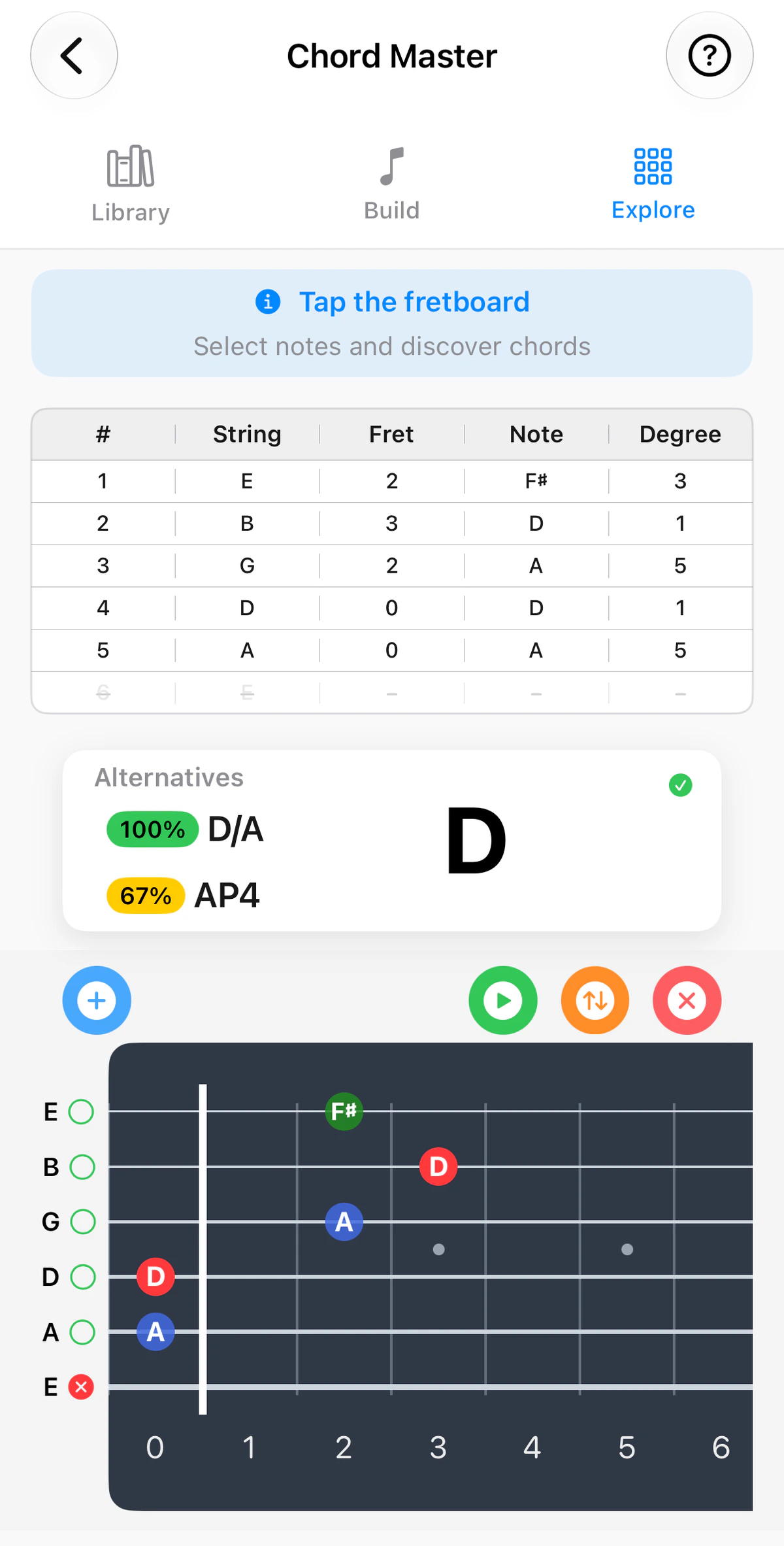
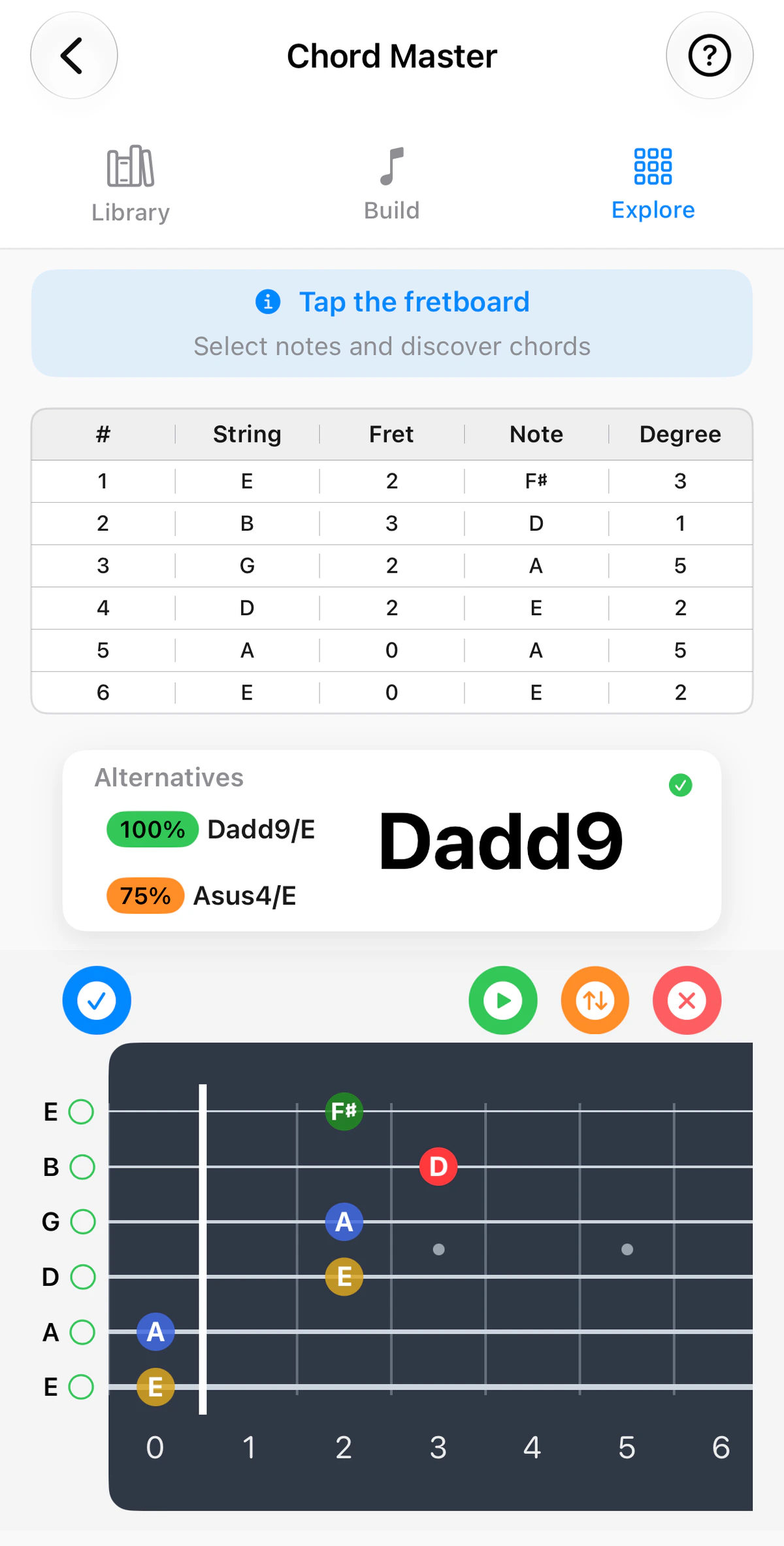
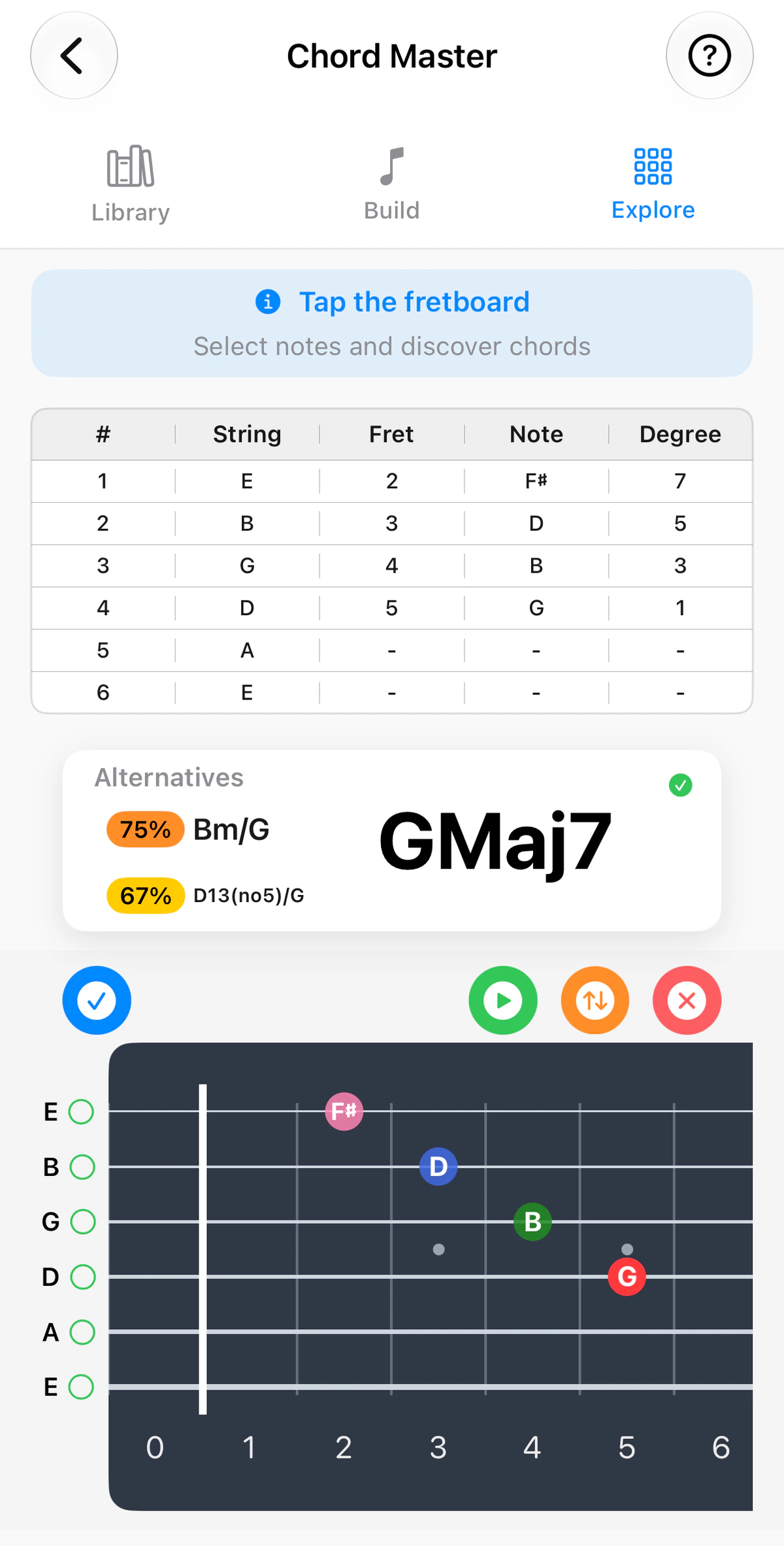
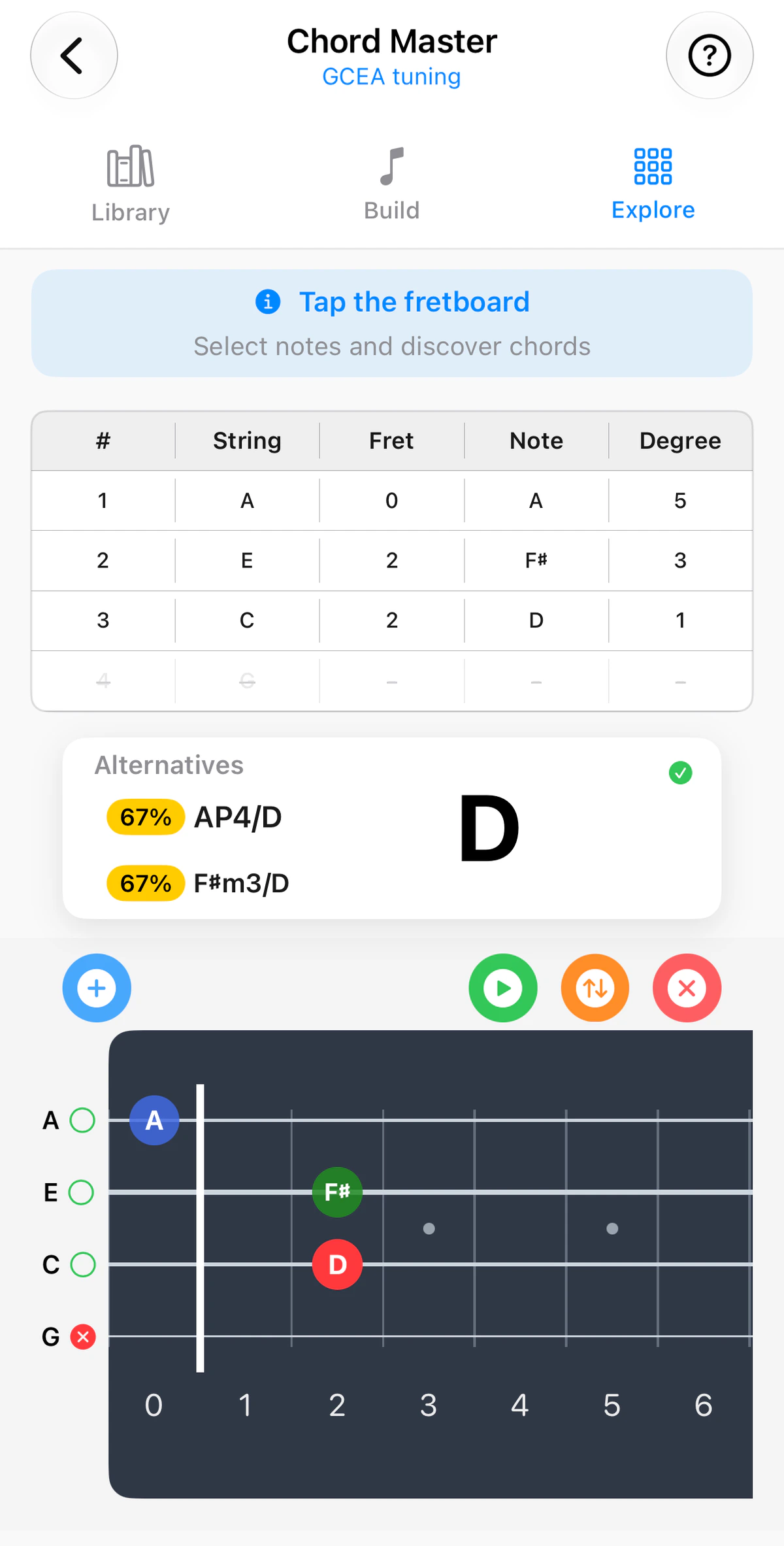
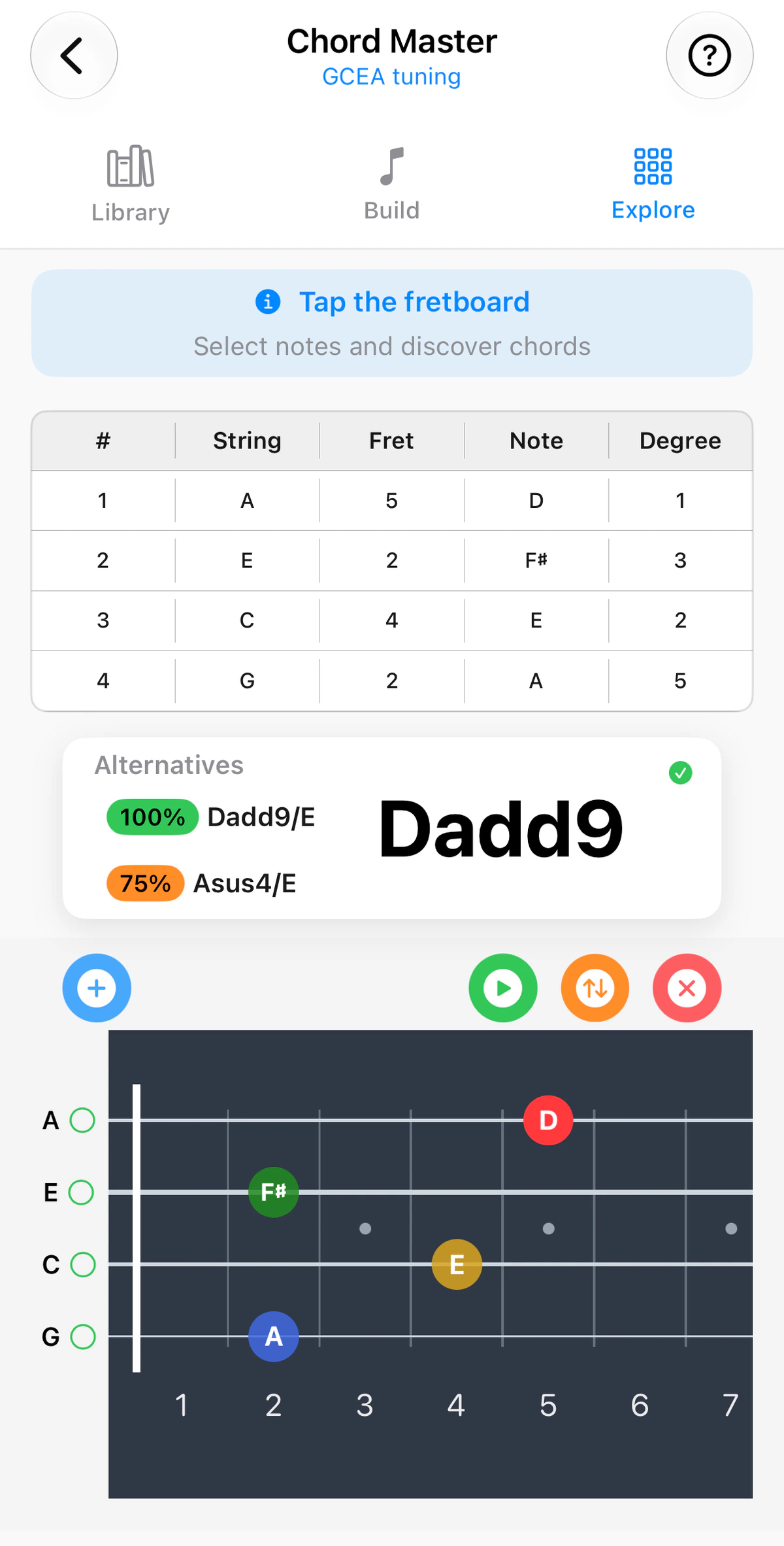
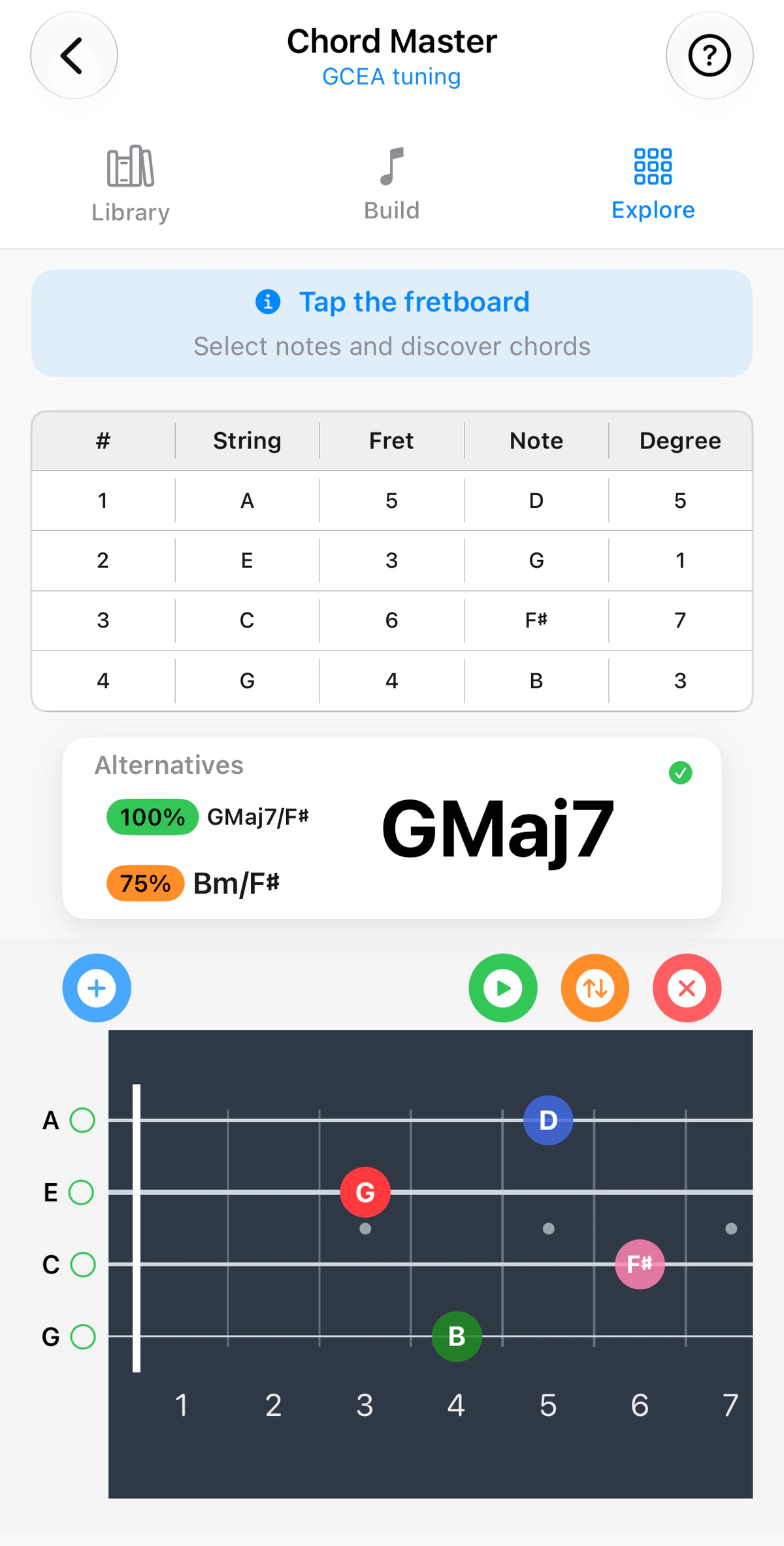
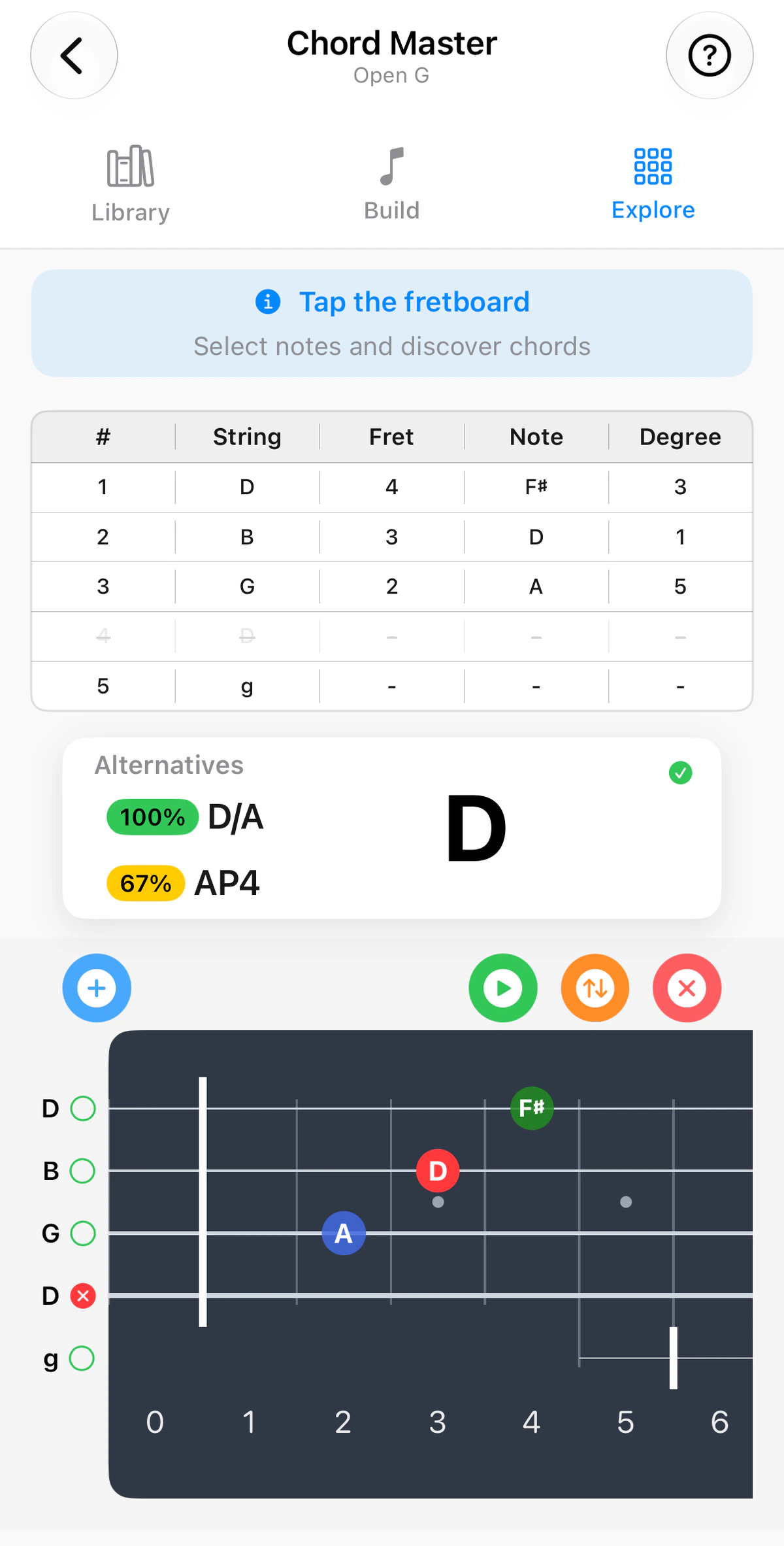
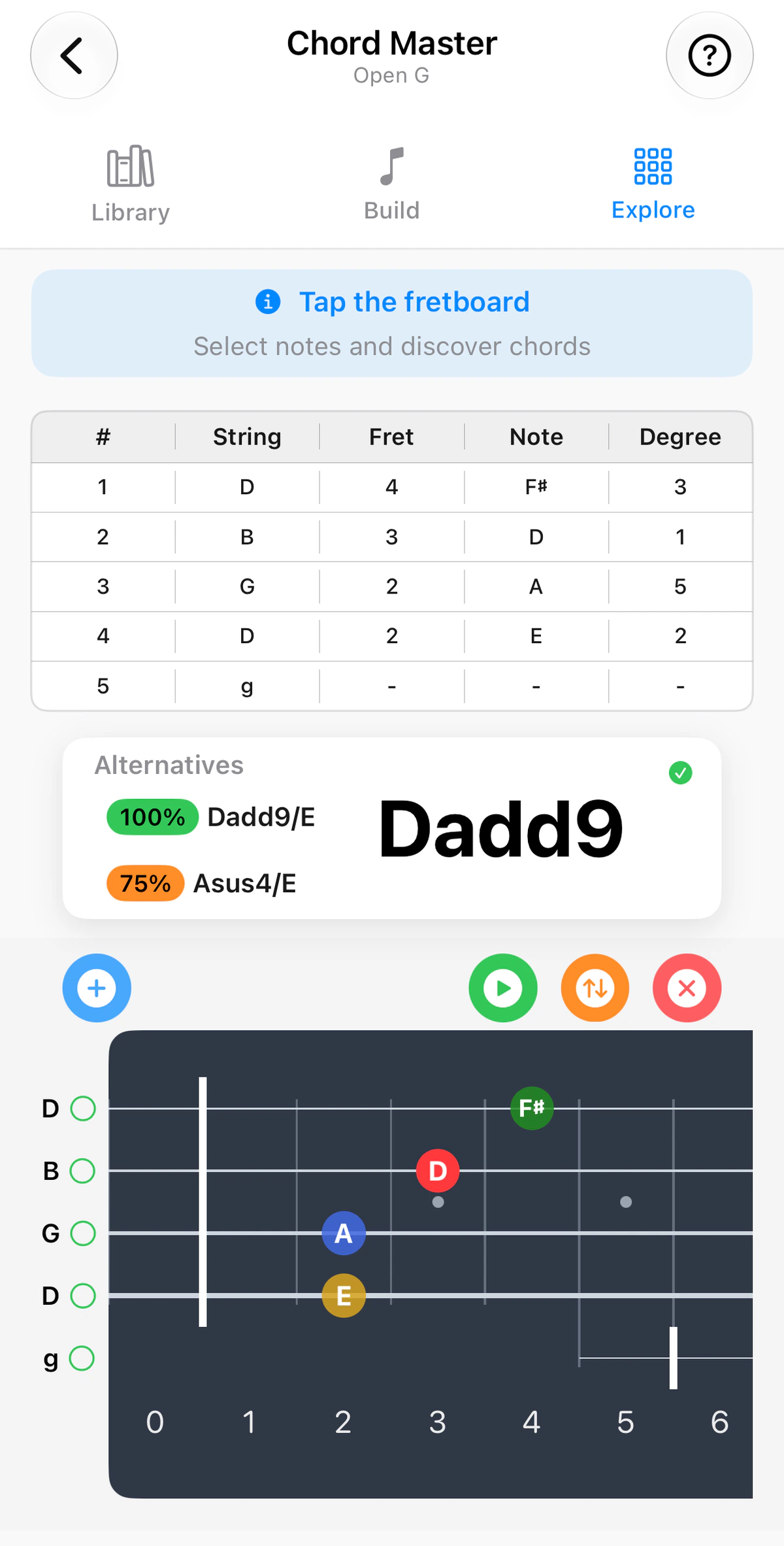
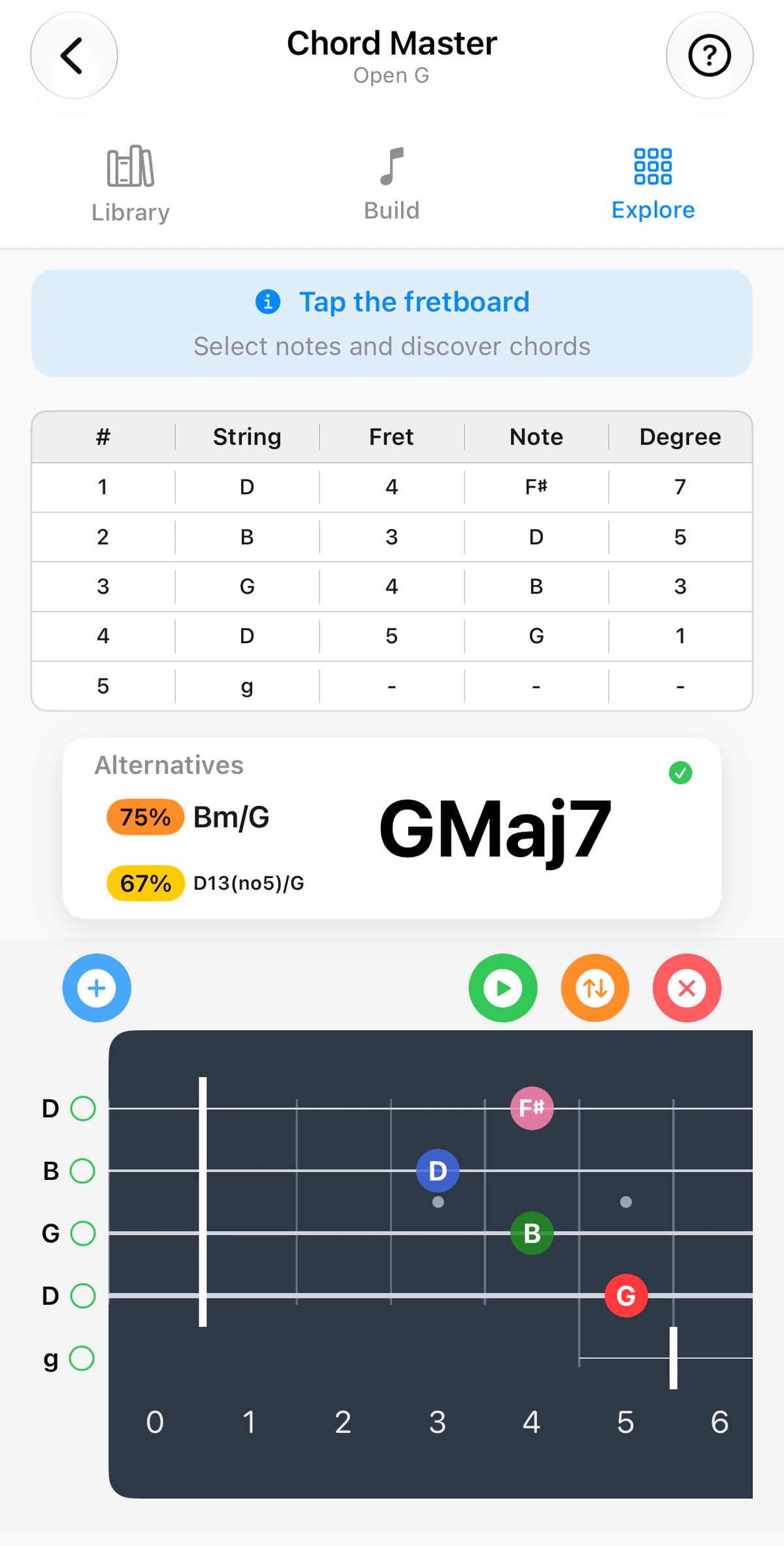
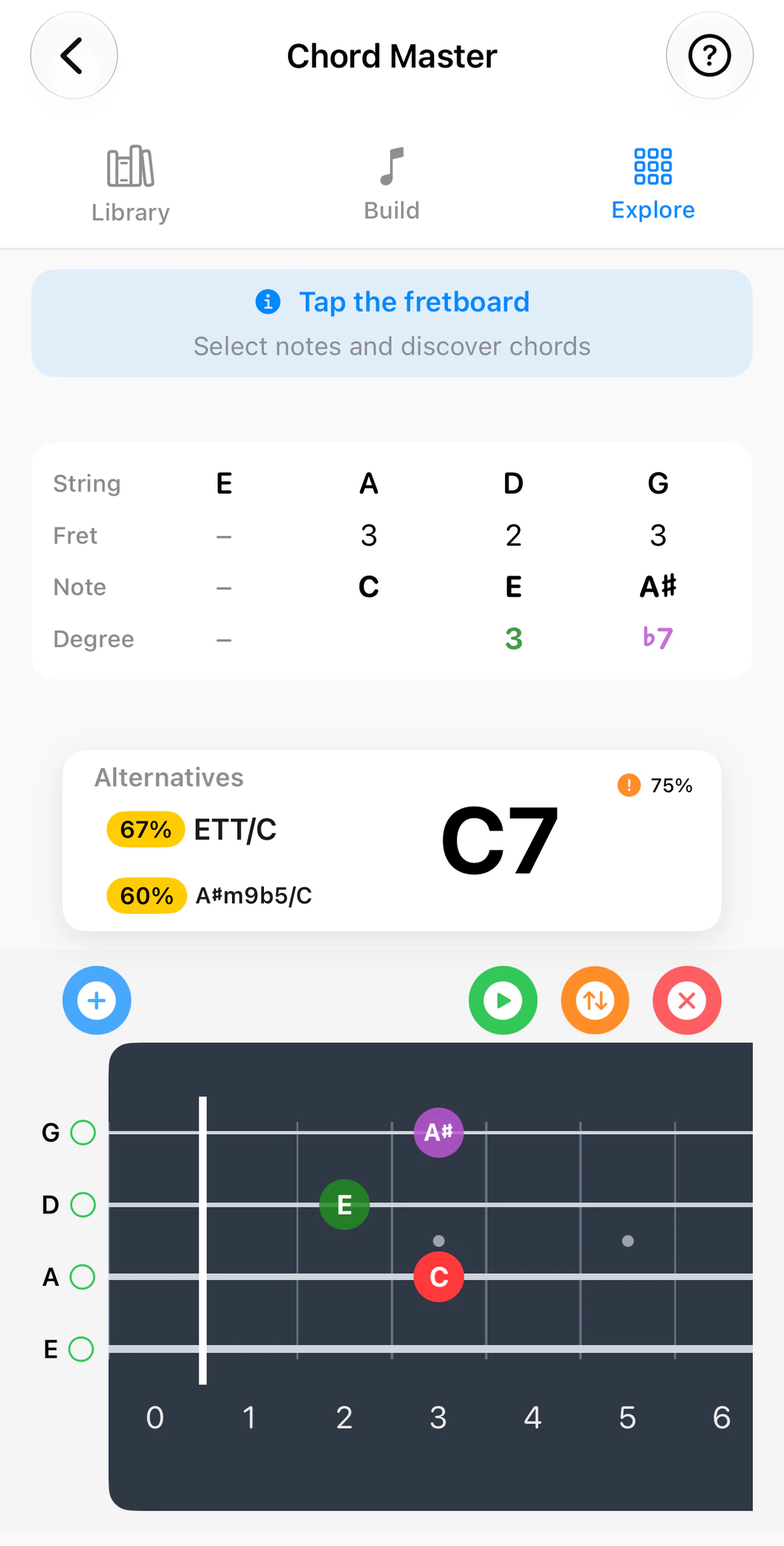
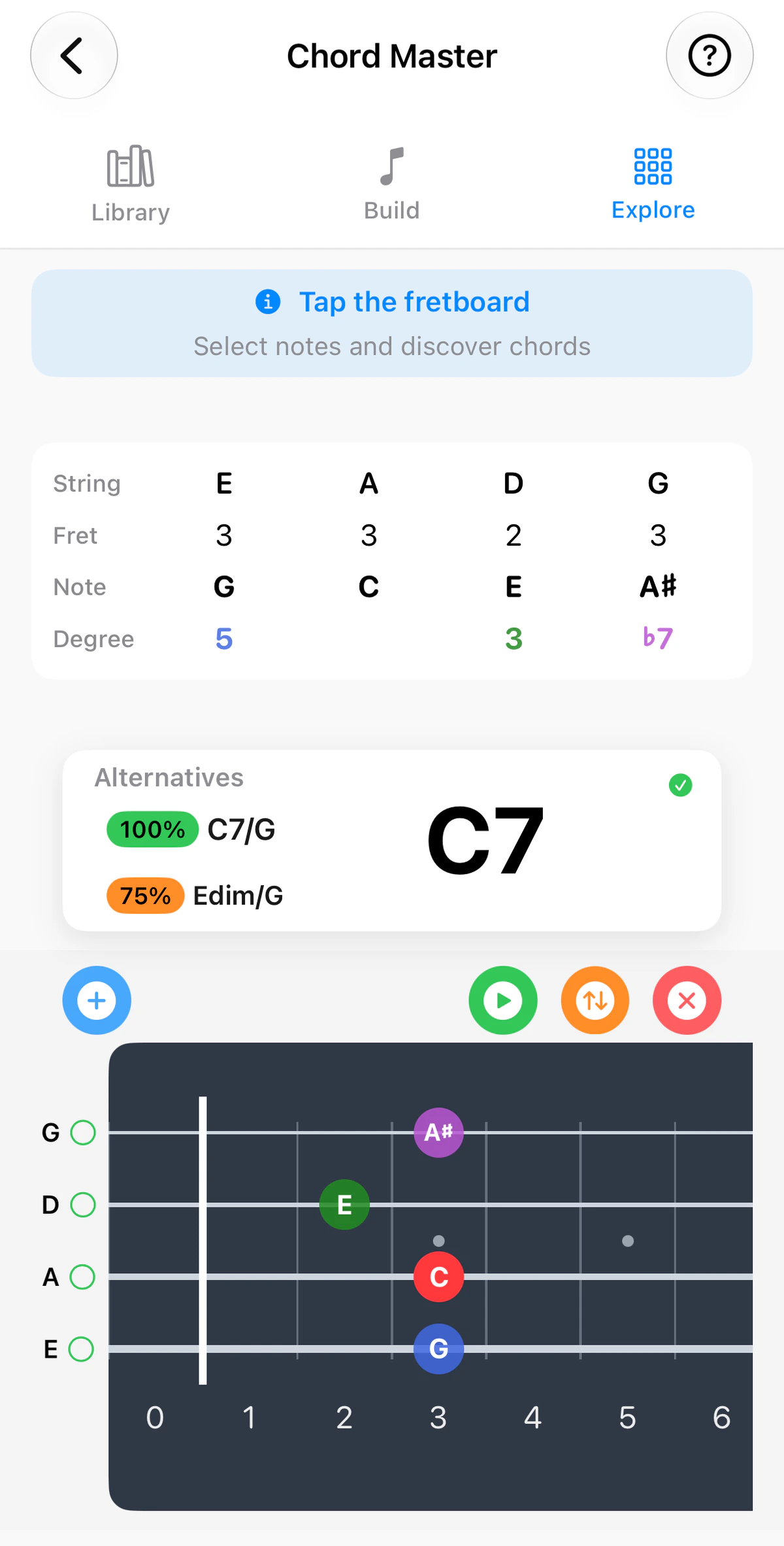
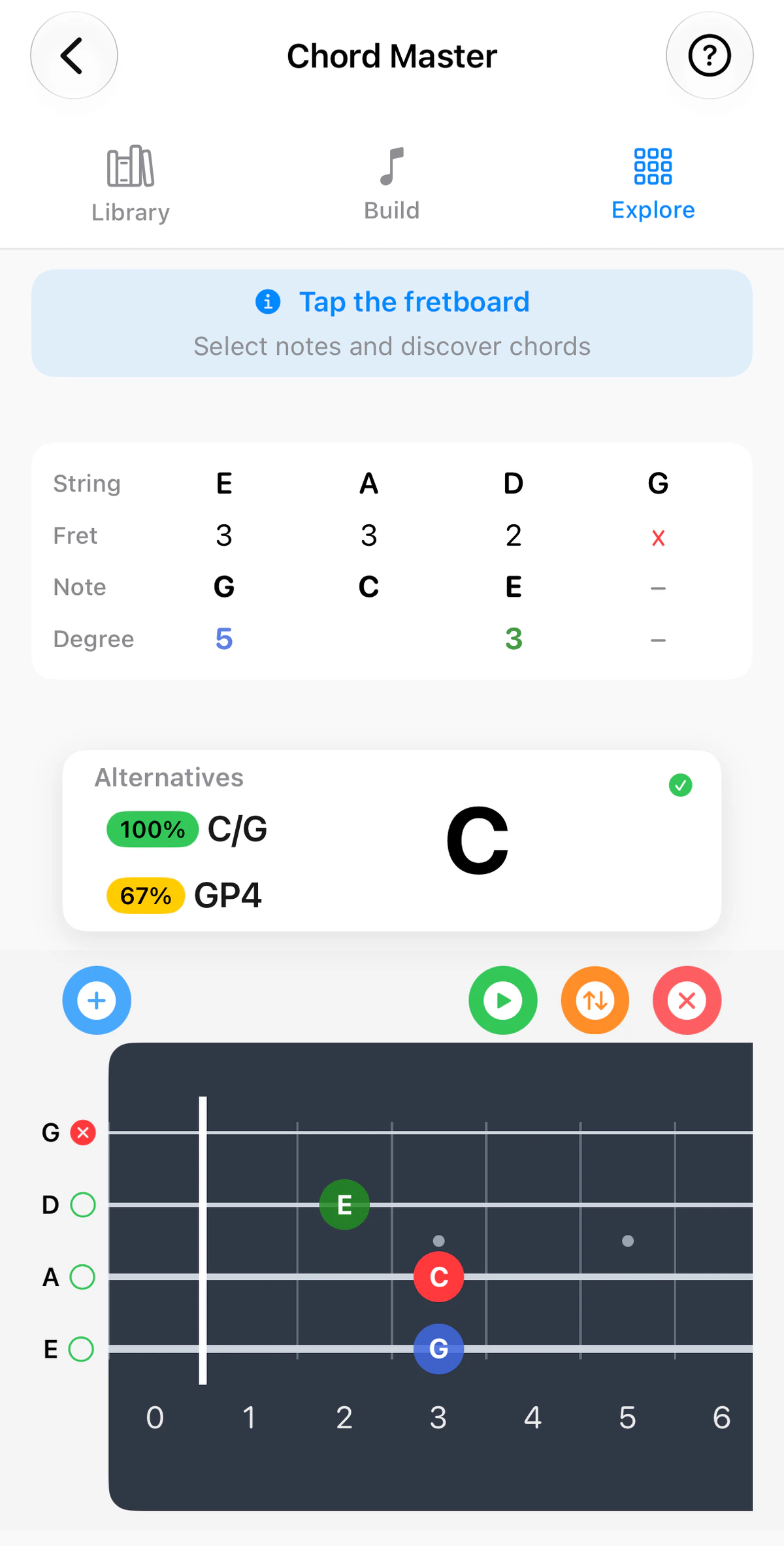
The Explore tab in Chord Master answers the question “What is this shape I’m holding?”
Use the instrument tabs above the screenshots to see Explore on guitar, ukulele, banjo or bass. The fretboard follows the instrument: four strings in GCEA on ukulele, five in Open G on banjo with its short fifth string, and four to six strings on bass.
Tap the fretboard
Tap a fret on any string to place a note there, and GTK names the chord you’ve made. The tab shows your active tuning and your instrument’s real fret count, so what you tap matches what you’re holding.
At the left end of each string is a green ring. Tap it to mute the string, which turns it into a red X, and tap again to unmute it.
The string table
Above the name, a table lists what you’ve placed, one row per string:
- #: the string number, starting with 1 for the highest string.
- String: the string’s open note.
- Fret: the fret you’ve tapped. 0 is an open string.
- Note: the note that sounds.
- Degree: the note’s place in the chord, with 1 as the root. In the Dadd9 example, D is 1, E is 2, F♯ is 3 and A is 5.
A string with nothing on it shows dashes and is ignored when GTK names the chord, so the result is based only on the strings you’ve set. It’s good practice to mark each string you don’t play as muted, or to fill it in with the blue + button, so the chord shown matches what you’re holding. A muted string is greyed out.
The name and its alternatives
The chord name appears in large type. Beside it, Alternatives lists theoretically close chords, and the percentage beside each shows how close. A green tick means the name is a full match. Tap an alternative to make it the current chord.
The root of the chord is always red on the fretboard.
The buttons
Above the fretboard:
- Blue + button: fills in the open strings you haven’t placed a note on, or clears them again. Strings you’ve left empty show dashes in the table, as in the GMaj7 screenshot.
- Green play: hear the chord.
- Orange up/down arrows: hear the chord arpeggiated, string by string, using your arpeggiation choices in Settings.
- Red x: clears the fretboard so you can start again.
Slash chords
Chords such as D/A or Am/C are recognised. The bass note is identified by the lowest pitch, not the lowest string – which matters on re-entrant ukulele and 5-string banjo tunings.
To make a chord of your own and keep it, see Chord Build.