Theory
Scale Sharing
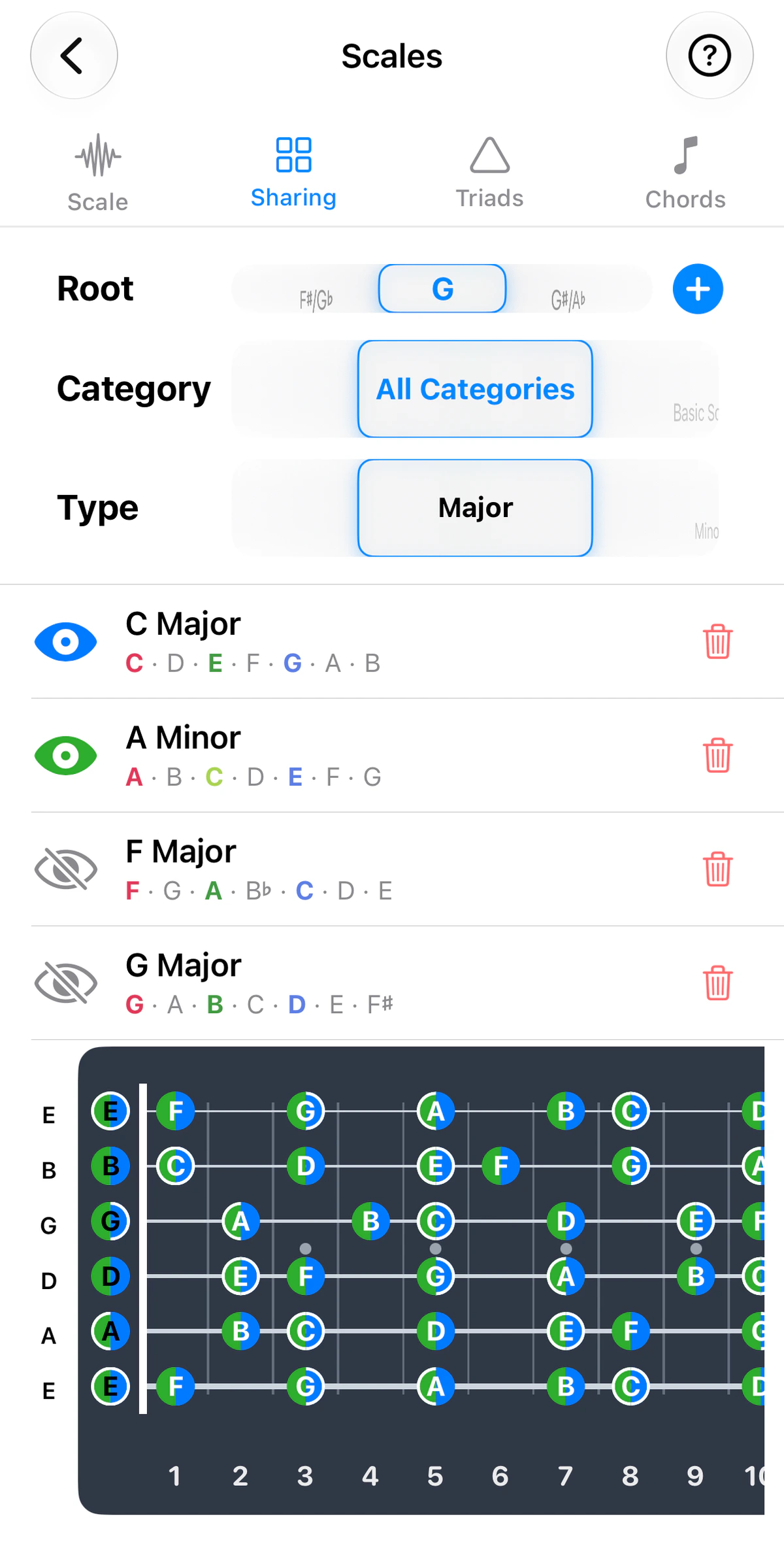
Layer up to four scales on one fretboard, with shared notes as pie-slice dots and roots, 3rds and 5ths ringed.
- Guitar
- Ukulele
- Banjo
- Bass

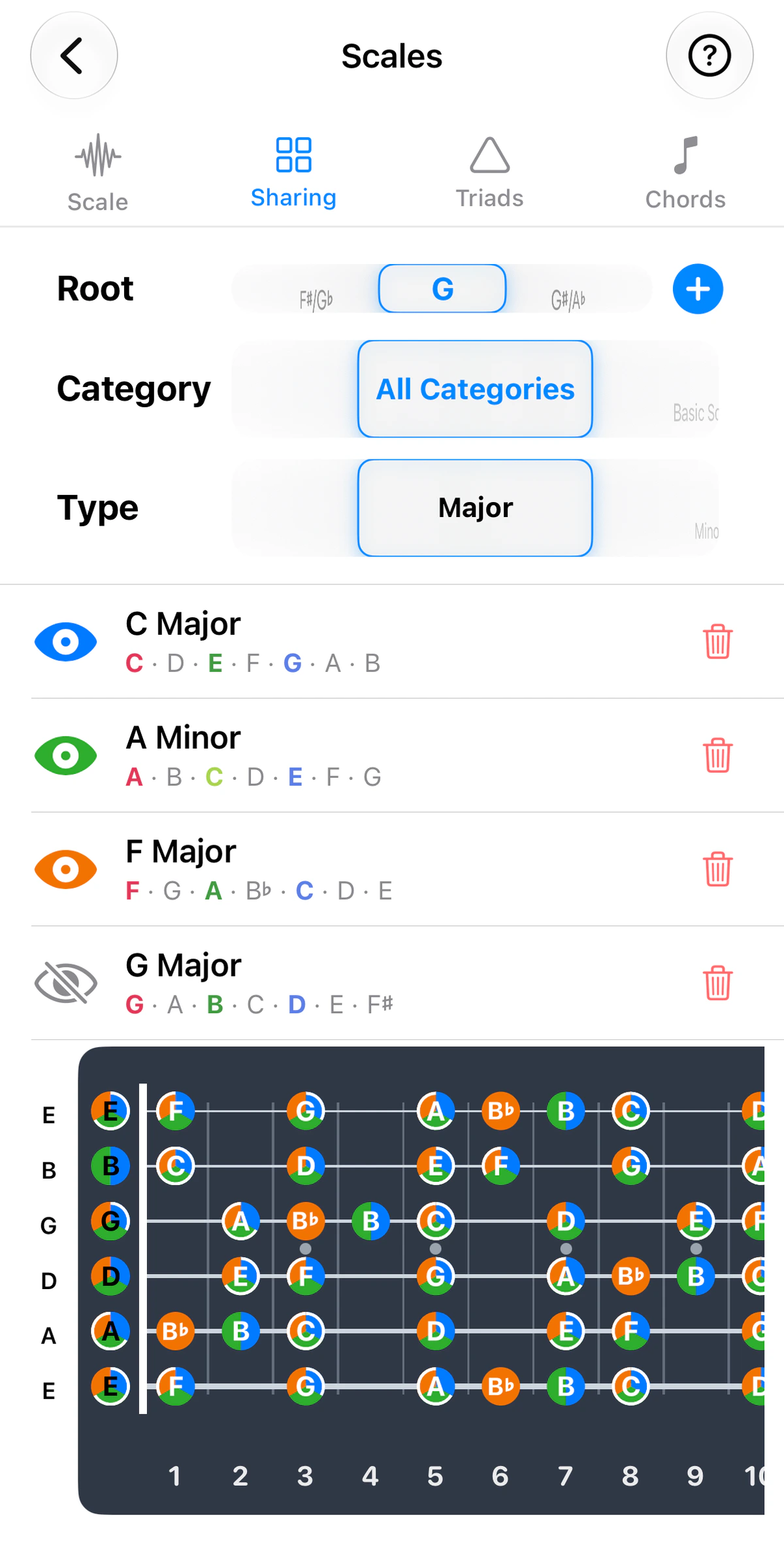
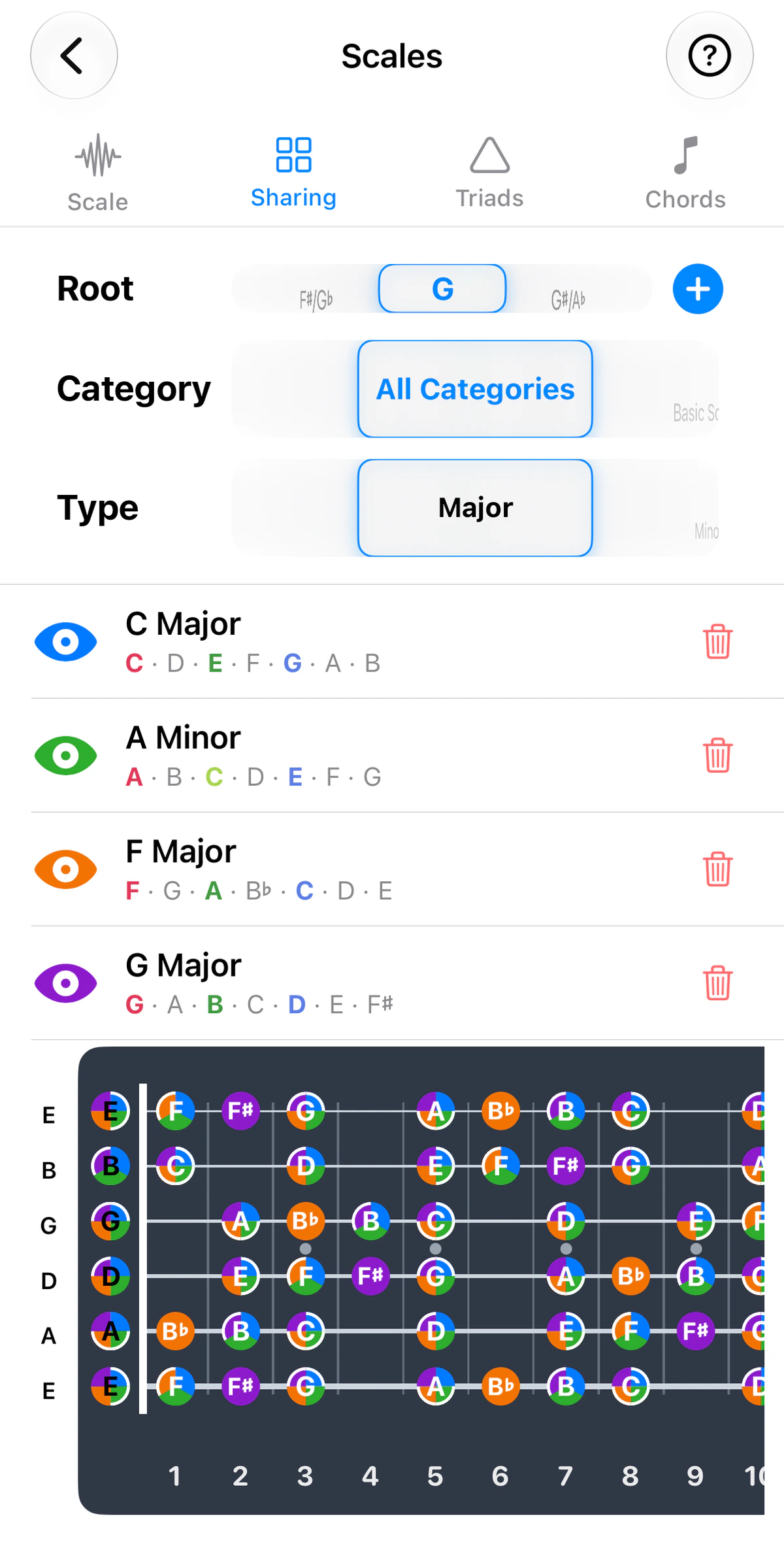
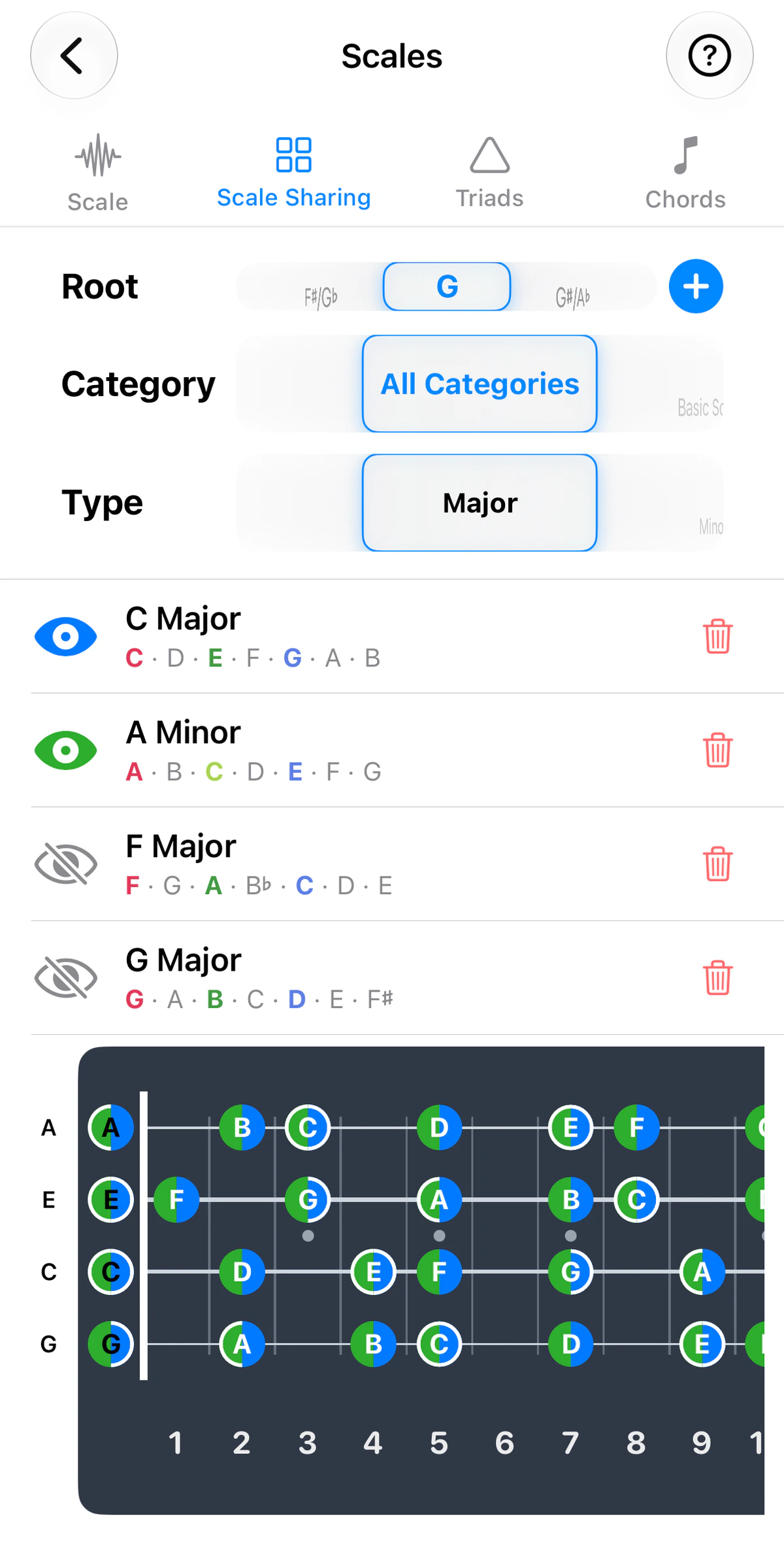
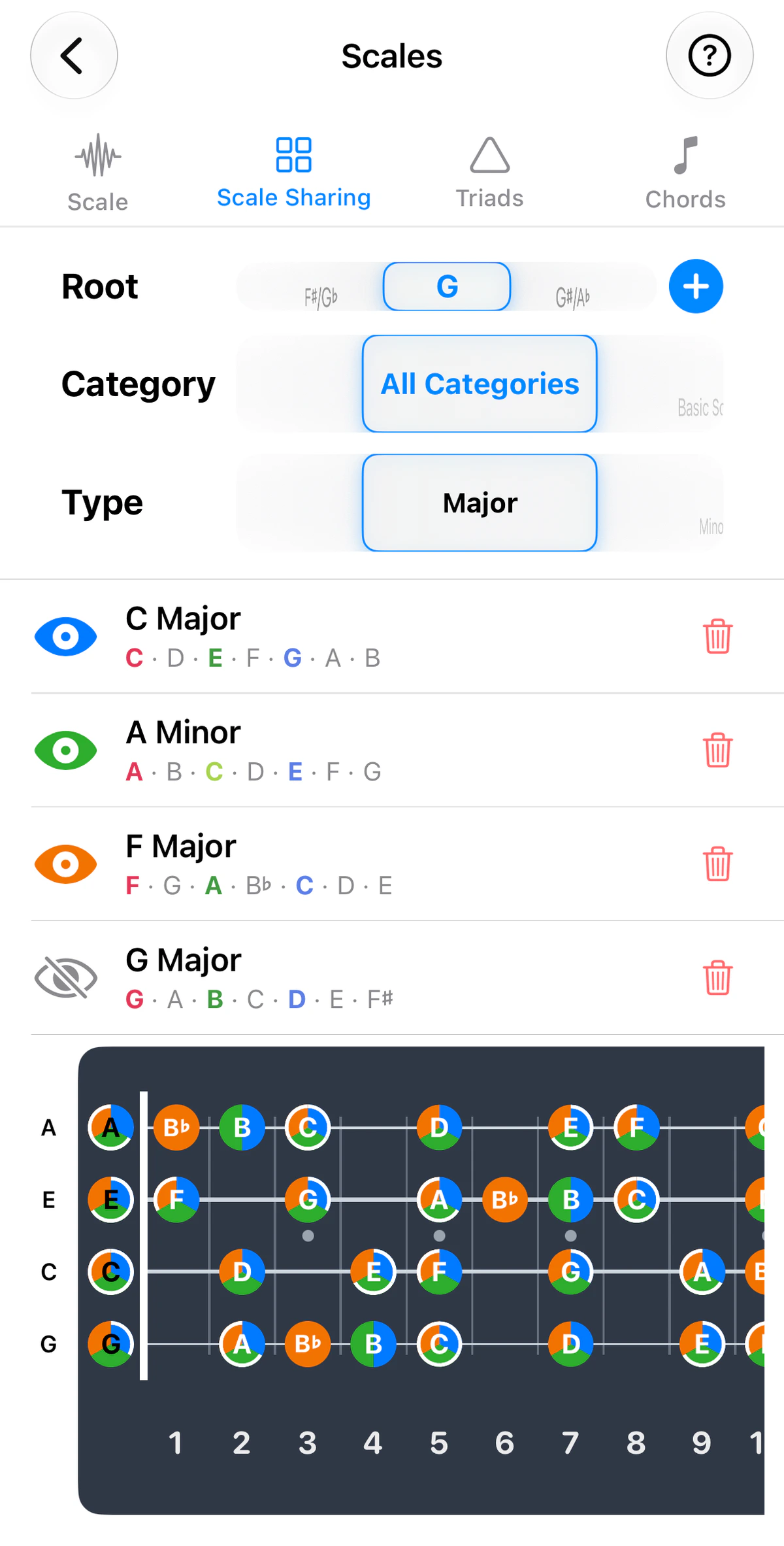
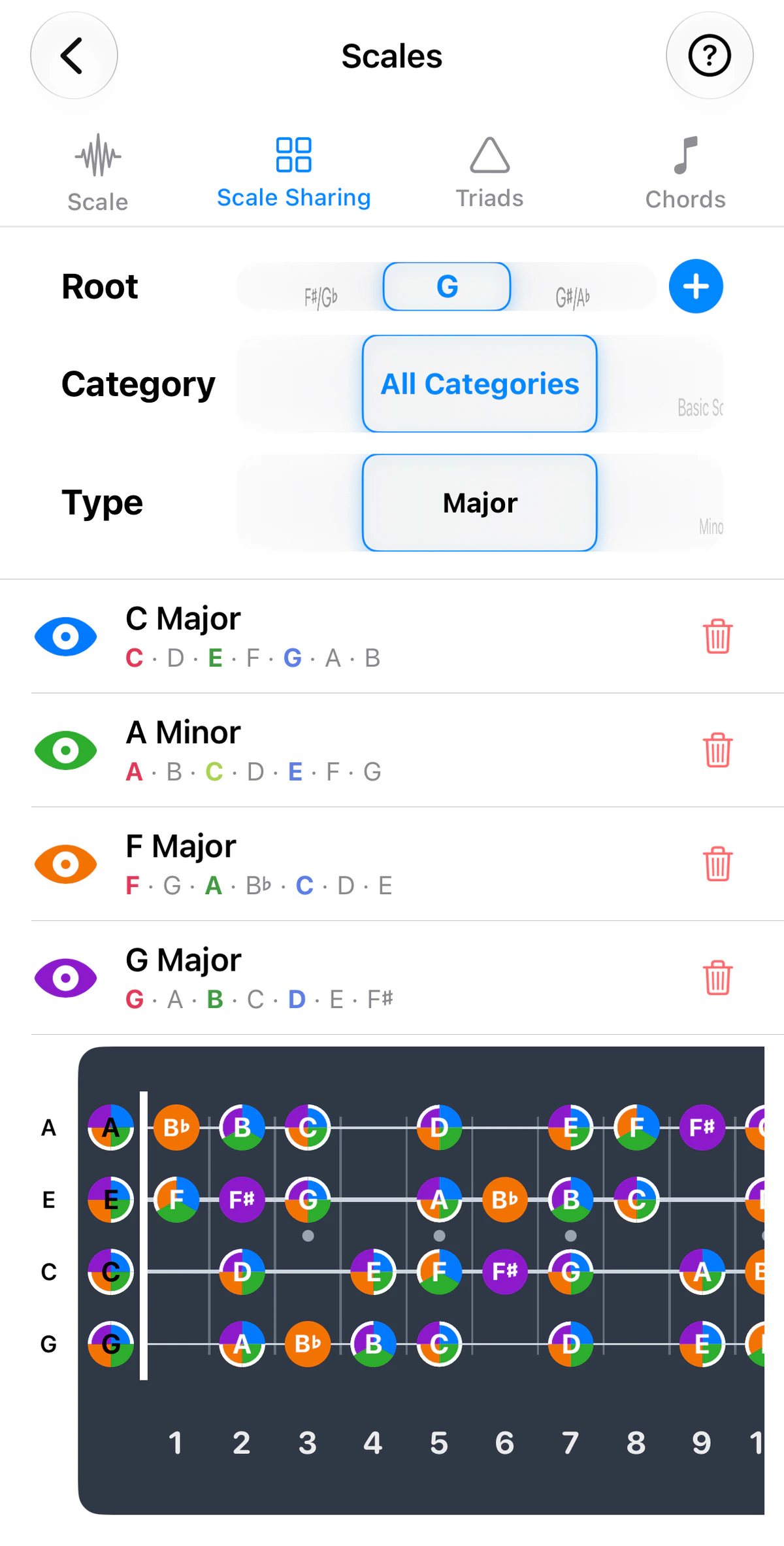
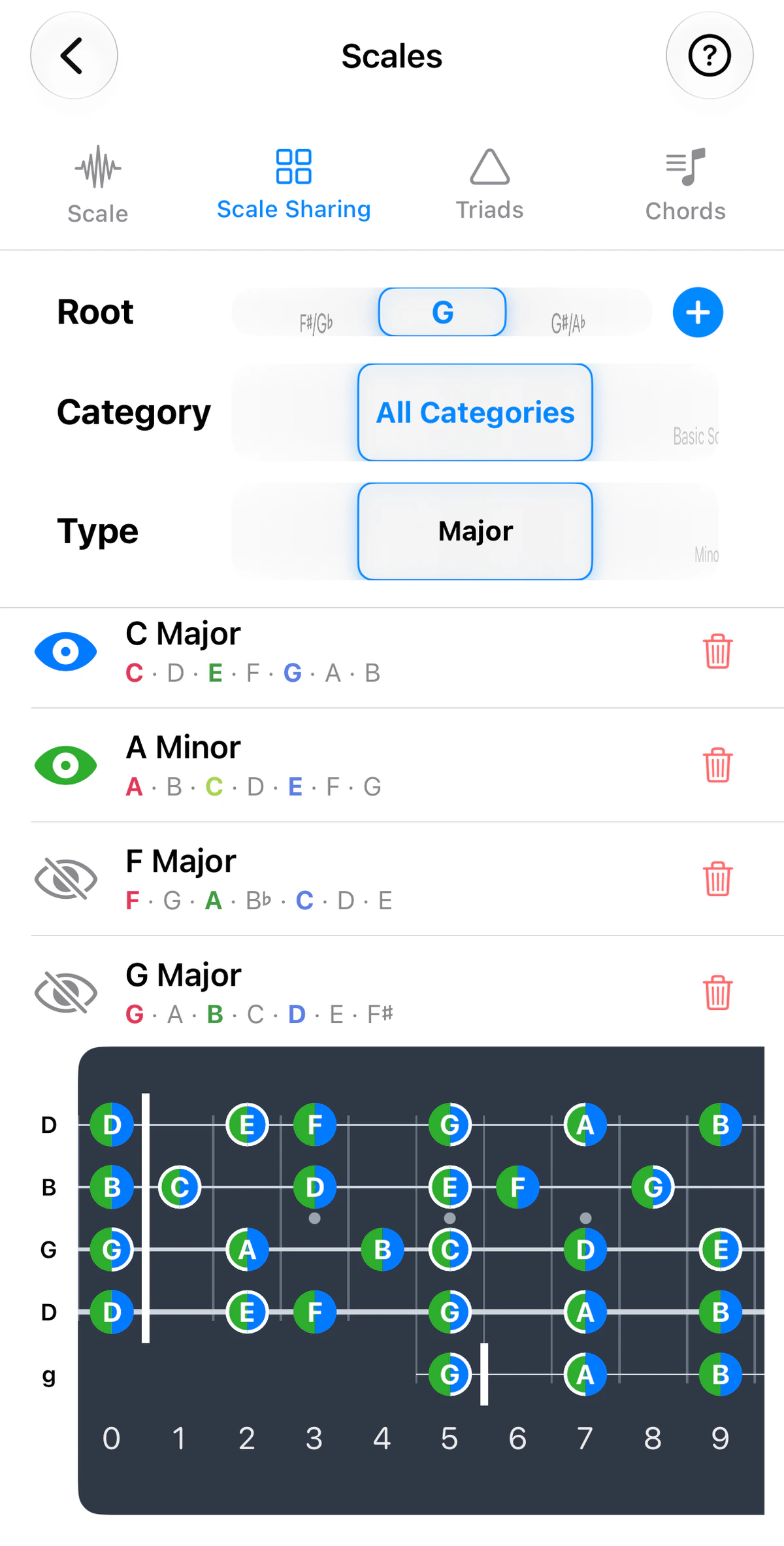
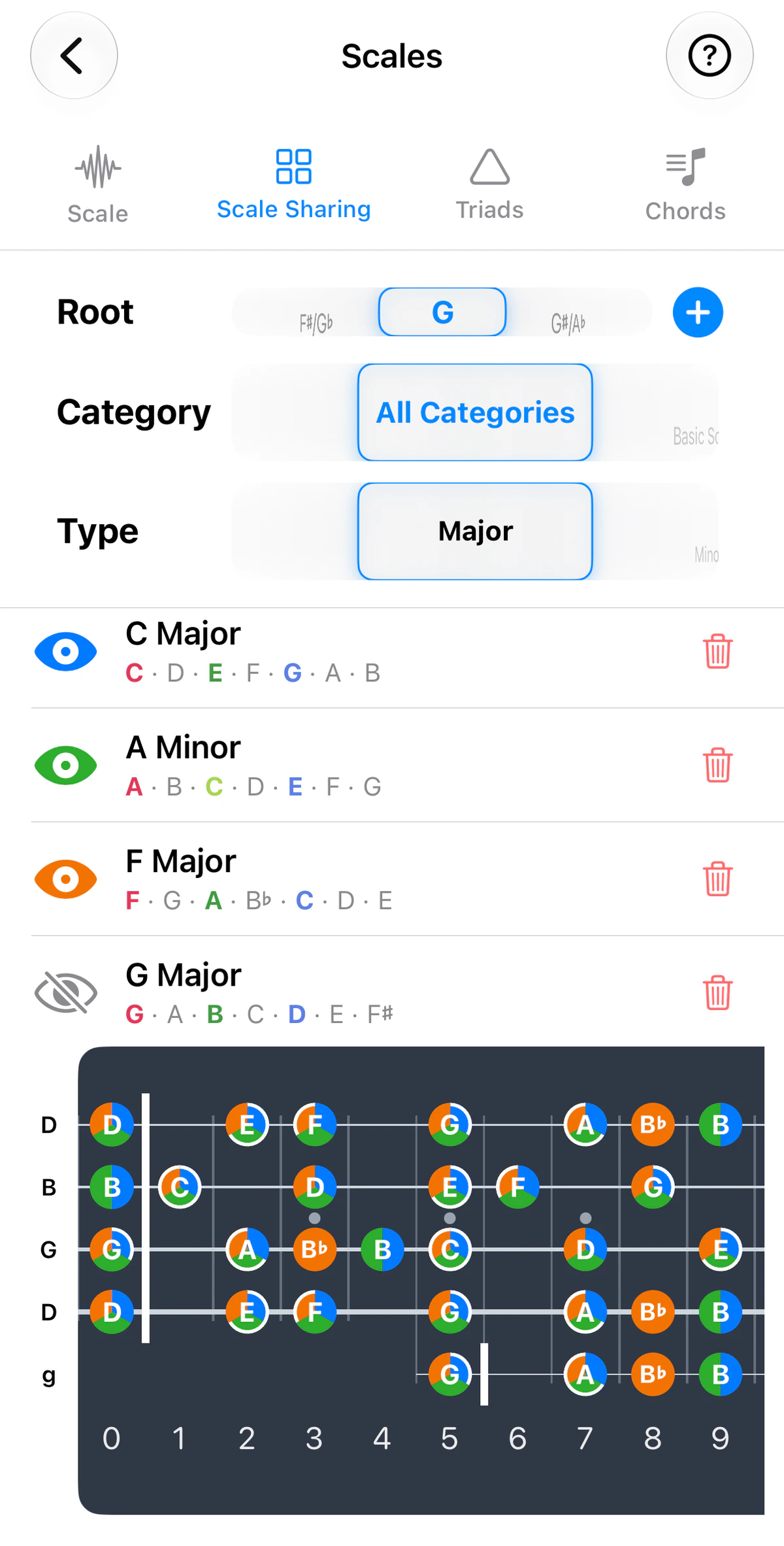
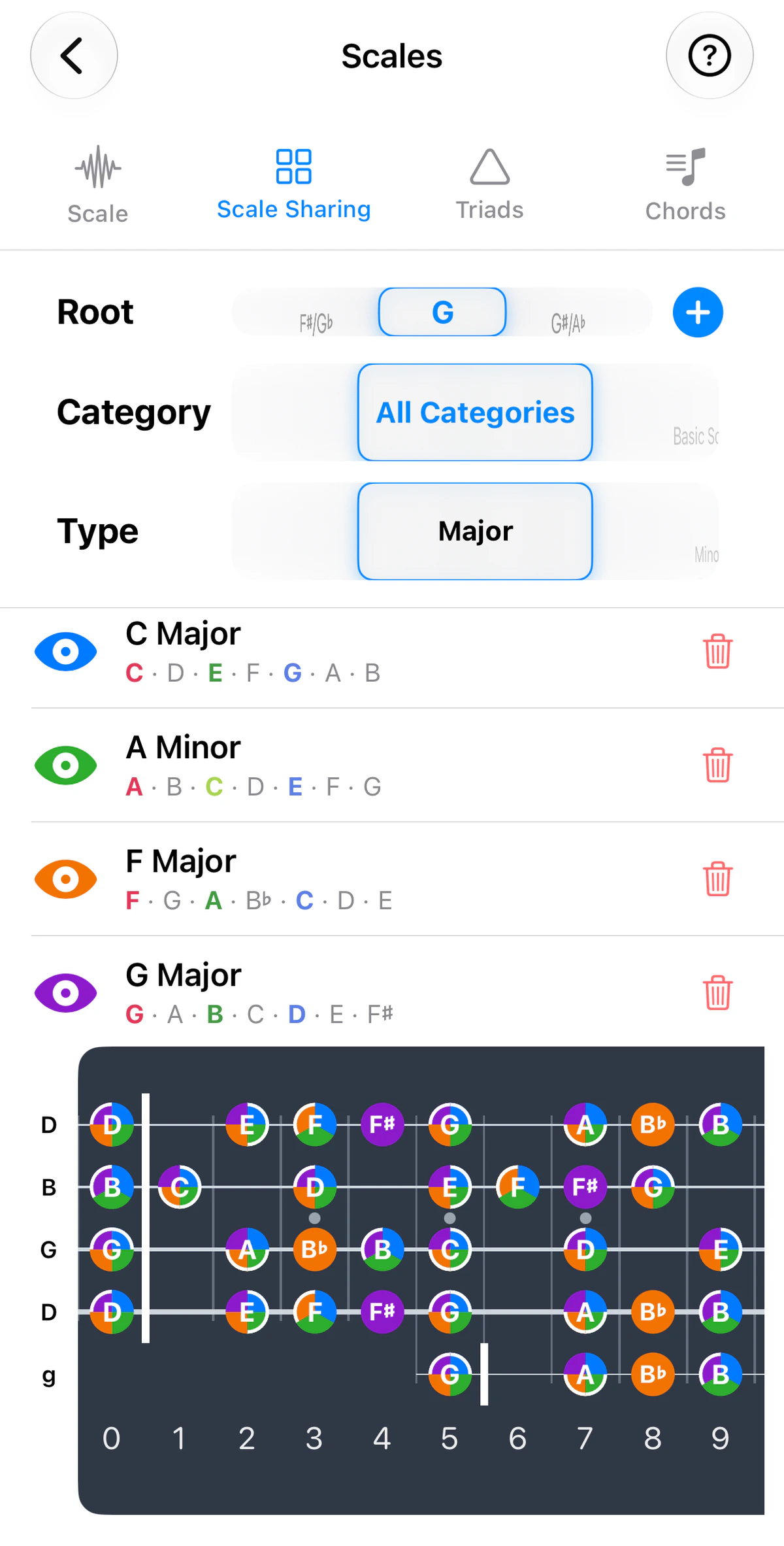
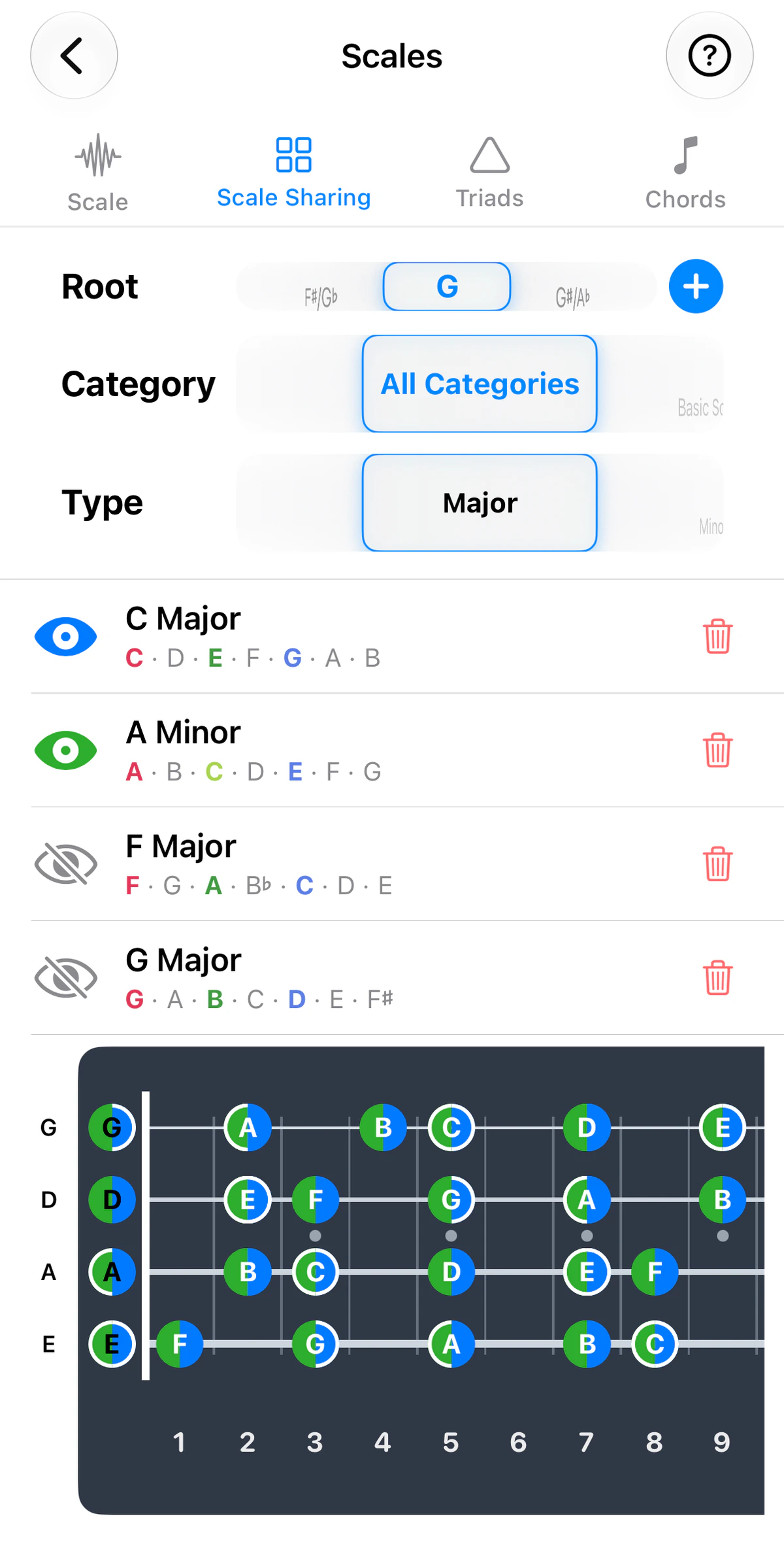
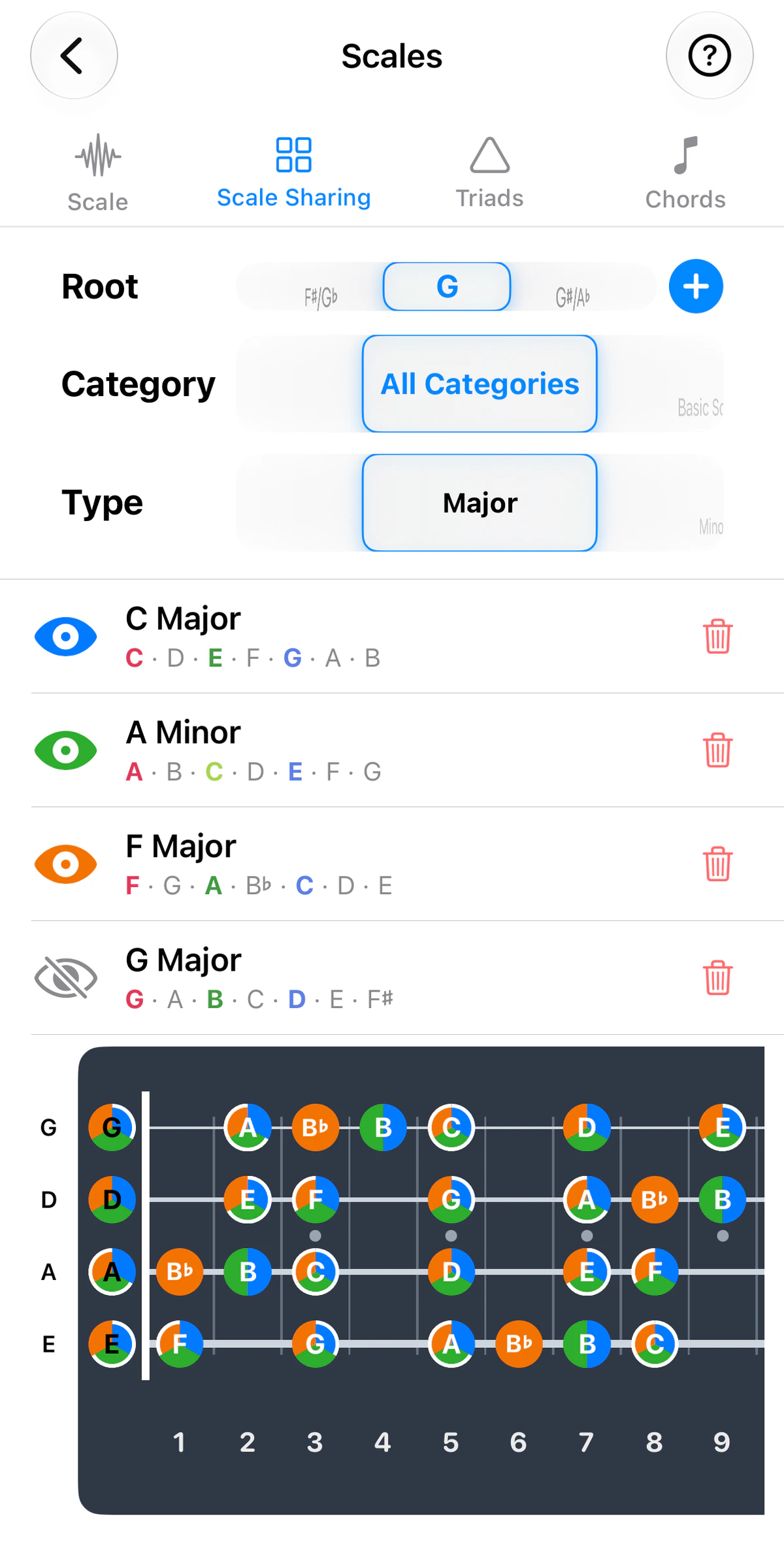
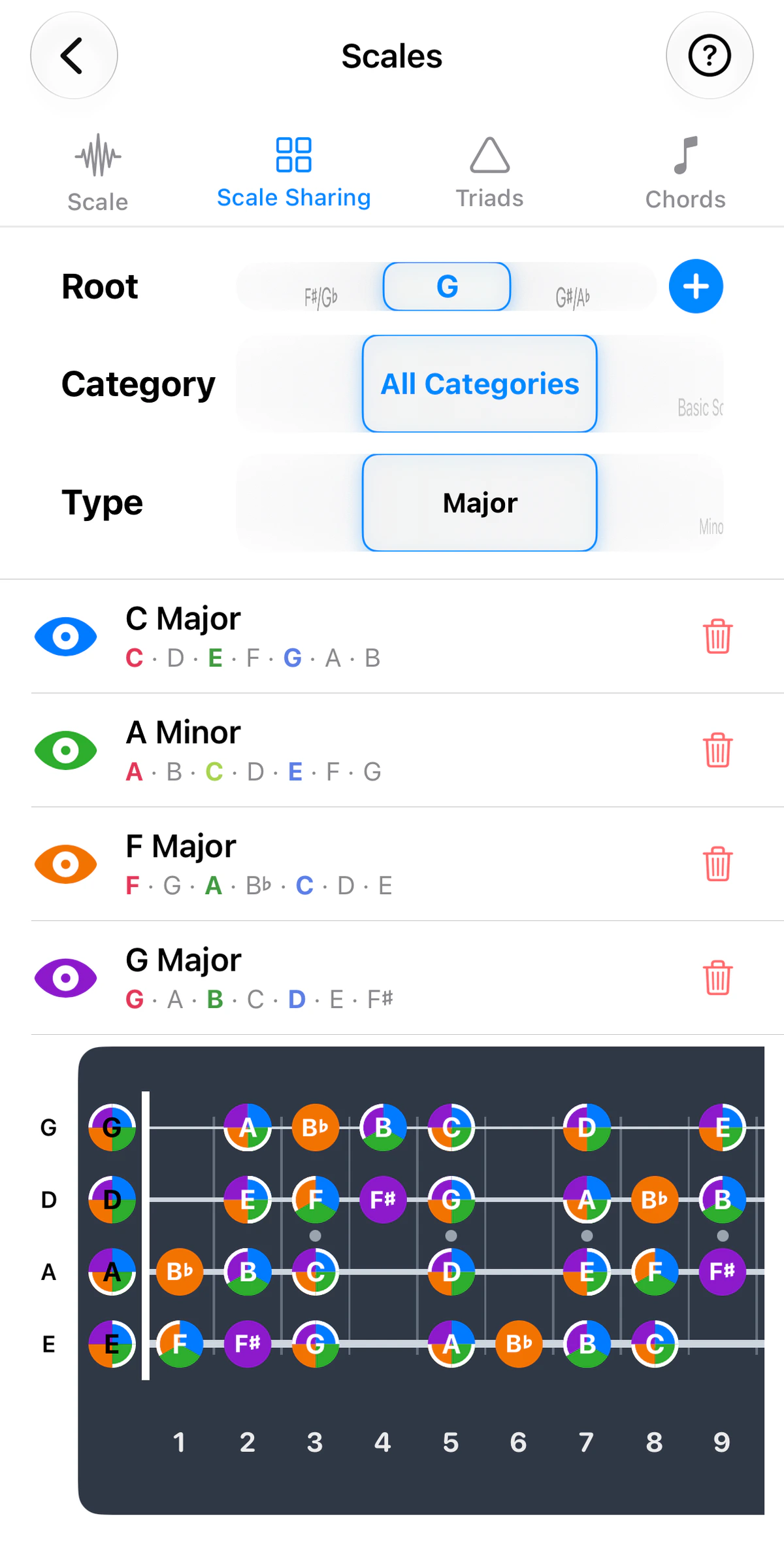
Scale Sharing answers a question that’s hard to see on paper: what do these scales have in common, and where?
How it works
View up to four scales. Each gets its own colour – blue, green, orange or purple – and they’re drawn on one fretboard. Use the instrument tabs above the screenshots to see it on guitar, ukulele, banjo or bass; the strings and tuning follow the instrument. Where scales share a fret, the dot is split into pie slices, one per scale.
- Tap the eye to show or hide a scale; tap the trash to remove it.
- Your list is saved between sessions.
Chord tones
The root, 3rd and 5th of each scale are bolded in its note list and ringed on the fretboard – solid dots get a full ring, shared pie-slice dots ring only their own slice. These are the “chord homes”: aim for them when picking individual strings or moving between chords. Turn Highlight Triad Notes off in Settings for a plainer view.
Ideas to try
- Major vs its relative minor – identical notes, different home.
- Dorian vs Aeolian – find the single note that gives Dorian its brighter sound.
- The scales for each chord in a song – see where they overlap so you can move between them with the least hand movement.